


Flashlight – LED Torch Light
4.657.00 Reviews
App Specs
- Version
- 1.2.5
- Updated On
- License
- Free
- Downloads
- 100,000+
- Developer
- HaoNova
- Categories
- Tools
- Platform
- Android
Screenshots
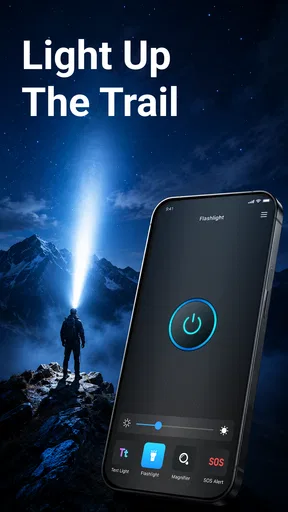
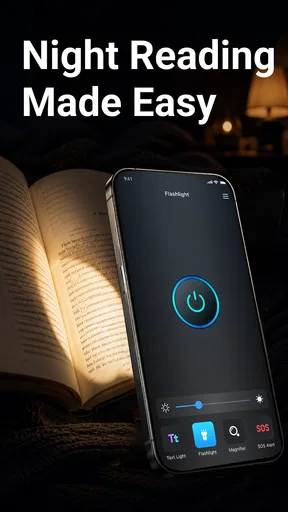
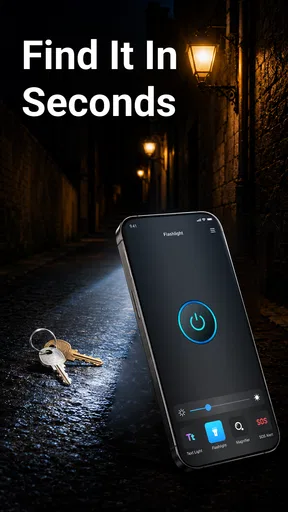
 Analysis by AppCompare
When I need a light quickly, I do not want to search through a crowded interface or wait for a complicated tool to open. Flashlight – LED Torch Light takes the simplest possible approach: it turns an Android phone into a bright handheld light. After using it, I see the appeal clearly. This is a focused tools app from HaoNova, aimed at people who want a direct answer to a small but common problem rather than a collection of extra utilities.
My review focuses less on the obvious fact that it is a flashlight and more on whether that simplicity makes it a good choice. A useful torch app should be quick to understand, comfortable to use in awkward situations, and dependable enough for occasional everyday needs. It should also avoid making a basic task feel like a project. On those points, this app makes a strong first impression, although its narrow purpose also means it will not replace every lighting option already built into a phone.
What I looked for before choosing it
I judged the app using a few practical questions. Can I reach the light without thinking? Is the control clear when I am standing outside at night or holding something in my other hand? Does the app feel suitable for a quick task rather than a long setup? I also considered whether installing a separate flashlight tool makes sense when many phones already include a torch shortcut in the quick settings panel.
That last point matters. A dedicated flashlight app is not automatically better than the system control. The built-in shortcut is usually the fastest option for someone who already knows where it is. A separate app becomes more interesting when the shortcut is hidden, difficult to access, or inconvenient on a particular device. For me, the value here comes from having a clearly defined tool that I can open directly when I prefer an app-based route.
The store summary describes it as fast and bright, and my practical takeaway is that the app is built around that expectation rather than around customization. I would not choose it because I wanted a lighting studio, color effects, or a large control panel. I would choose it because I wanted a straightforward torch interface and did not need the app to do anything beyond that.
It is also worth setting expectations about the word “bright.” The actual light depends heavily on the phone’s LED hardware, not just the software. A flashlight app can control access to the hardware, but it cannot turn a modest phone LED into a professional searchlight. This is one of the most important distinctions when deciding whether the app suits you: it may simplify access, but it does not change the physical limits of your handset.
A useful fit for quick, ordinary tasks
The best use cases are small and realistic. I can imagine opening it while looking for a dropped key beside a car, checking a dark corner under furniture, finding a circuit breaker during a brief outage, or walking from a gate to a front door after sunset. These are moments when a simple light is more useful than a feature-rich application, and the limited scope becomes an advantage because there is less to learn.
Worth Reading Before You Choose

EA SPORTS FC Mobile 26 Is a Bigger Football Game, but It Takes Time

Flipboard Shows What News Apps Must Do Beyond the Feed

Switching to Android Auto Means Rethinking Your Driving Routine

Google Calendar Makes a Crowded Week Easier to Manage

Ludo King Makes the Most of the Minutes Between Plans

Baby Panda World Brings Quick Play to Modern Phones, but Its Game Library Feels Busy
Another good scenario is keeping an older or less familiar phone usable for someone who does not want to hunt through a settings panel. A direct flashlight app can be easier to explain: open the tool, use the light, close it when finished. That straightforward workflow may matter more than advanced controls for family members who prefer visible, uncomplicated interfaces.
I also appreciate the distinction between a torch app and a camera flash. The camera application may technically provide access to the same LED, but reaching it often means passing through a camera screen and avoiding an accidental photograph. A dedicated tool keeps the purpose clear. That said, the system shortcut still has an important advantage because it can often be reached without opening anything at all.
Where Flashlight – LED Torch Light stands out
The strongest quality is focus. Flashlight – LED Torch Light is categorized as a tools app, and it behaves like one: it is meant to solve a narrow practical need. I do not have to interpret a dashboard or navigate through unrelated functions. For a person who wants a dedicated torch and dislikes clutter, that restraint is useful.
The app is free, which removes the most obvious barrier to trying it. That does not automatically make it the right choice, but it makes the decision easy for occasional users. Someone who only needs a light a few times each month can install it without committing money to a specialized utility. The content rating is Everyone, so its intended audience is broad and not limited to a particular age group.
Its public reception is encouraging without being a reason to ignore personal fit. It has a 4.6 average from around 800 ratings and more than 50 written reviews, with over 100,000 installs. Those figures suggest that many people find the basic idea useful, but they do not tell me whether the app matches every phone’s hardware or every user’s preferred access method. I treat them as a sign of reasonable acceptance, not as proof that it is superior to a built-in control.
One practical insight is that a flashlight app should be evaluated by the number of steps between the problem and the light. If you are already comfortable with your phone’s quick settings, installing this app may add an extra step. If you repeatedly forget where the system control is, or if the quick panel is crowded with controls, a dedicated icon can make the action more memorable. The winner depends on your routine, not on the category label alone.
Small habits that make it more useful
I recommend placing its icon somewhere easy to reach rather than burying it in a folder. That sounds obvious, but it changes the experience in a real emergency. A flashlight is most valuable when I can find it while the room is already dark. I would also test it once during the day, so I know how the control behaves before relying on it outside or during a power interruption.
Battery awareness is another practical consideration. A bright LED consumes power while it is active, and a flashlight app cannot avoid that hardware cost. I would use it for the task at hand, then close or stop the light deliberately instead of leaving it running in a pocket or bag. This is especially important on an older phone whose battery is already under strain.
There is also a safety trade-off in using a phone as a torch. The device needs to remain in your hand, which can be awkward when you are carrying groceries, opening a lock, or climbing steps. For brief jobs, that is fine. For a long walk, outdoor repair, or work that requires both hands, a dedicated rechargeable torch or headlamp is the better tool. The app is convenient, but convenience is not the same as hands-free lighting.
Where another option may fit better
The first alternative is the phone’s own quick settings flashlight. For many users, it is the better choice because it avoids an additional installation and can be activated from the lock screen or notification area, depending on the device. If that shortcut is already reliable on your phone, Flashlight – LED Torch Light may not add enough value to justify changing your habit.
The second alternative is the camera app. I see it as a fallback rather than a preferred method. It may be available when no flashlight tool is installed, but it is less focused and can introduce distractions. If you need only occasional light and do not mind opening the camera, there may be no reason to add another app. If you want a clearly labeled torch function, the dedicated approach feels cleaner.
The third alternative is physical equipment. A keychain light, emergency lantern, or headlamp can be a better fit for camping, electrical work, roadside repairs, and extended outages. These options do not consume the phone’s battery and can leave both hands available. I would not recommend relying on a phone flashlight as your only emergency light if you regularly spend time in situations where a failure would be inconvenient or unsafe.
There is a further trade-off for people who expect adjustable brightness, colored light, signaling modes, or other specialized controls. A narrowly focused torch app is unlikely to satisfy that kind of user unless those functions are specifically present and useful on their device. I would not install this app hoping it will transform a basic LED into a configurable lighting system. Its appeal is directness, not depth.
Privacy-conscious users may also prefer to compare the app’s behavior with the system shortcut before switching. A built-in control is already part of the device environment, while a separate application introduces another piece of software to maintain. I do not see a reason to install a dedicated tool merely because it is available. I would install it when the simpler access pattern genuinely helps me.
What switching actually involves
Moving from the system shortcut to this app is not a major technical commitment, but there is still a small cost in habit. I need to remember a new icon, decide whether it belongs on the home screen, and learn the app’s opening behavior. For a task as simple as turning on a light, even minor friction matters. If the app takes longer to reach than the shortcut I already use, switching would be a step backward.
On the other hand, the cost is low for someone who has no dependable torch shortcut. Because the app is free and its purpose is immediately understandable, trying it is relatively easy. I would test it in the places where I normally need a light rather than judging it at a desk. Try the hallway at night, the car park, a cupboard, or the front door. Those situations reveal whether the icon is easy to reach and whether the phone’s LED is strong enough for your needs.
The app’s current version is 1.2.5, and it requires Android 11 or newer. That operating-system requirement is important for anyone using an older handset. If your phone cannot meet that requirement, this particular app is not a practical option regardless of how attractive the concept sounds. In that case, the built-in torch, a compatible older utility, or a physical light makes more sense.
I would also avoid making it the only light before checking how it behaves with your phone. Hardware designs differ, and the useful range of the LED differs with them. A light that is perfectly adequate for finding a key may be disappointing in a large garden. Testing it first prevents an everyday tool from becoming an unexpected limitation.
Who should install it
I think Flashlight – LED Torch Light is a good match for Android users who want a dedicated, uncomplicated torch and do not enjoy searching through phone controls. It is particularly suitable for occasional household tasks, quick outdoor checks, and situations where a visible app icon feels more dependable than remembering a gesture or quick-panel position.
It also makes sense for people who want to keep their utility apps simple. The developer, HaoNova, has positioned this release around a single job rather than a broad toolbox, and that narrow design can be reassuring. If I only want a light, I would rather start with a tool that presents itself as a light than one that surrounds the function with unrelated options.
I would skip it if my phone already has a fast, convenient flashlight button that I use confidently. I would also skip it if I need long-running illumination, hands-free operation, adjustable lighting modes, or a dependable emergency device. In those cases, the built-in shortcut or dedicated hardware is more appropriate, depending on the exact need.
My recommendation after using it
My recommendation is practical rather than universal: try Flashlight – LED Torch Light if you want a free, focused torch app for short everyday tasks and your phone runs Android 11 or later. Its biggest strength is that it keeps the decision simple. You are not installing it for entertainment or a long list of tools; you are installing it to make a phone light easier to reach.
I would not describe it as an essential download for every Android owner. Many phones already handle this job well through their built-in controls, and no software can overcome a weak LED or replace a proper lamp for demanding work. That honest limitation is central to the decision. The app is most useful when access is your problem, not when hardware power or battery life is your problem.
For my own use, the deciding test would be simple: place the icon where I can find it, open it in a dark room, and compare the experience with the existing quick setting. If the dedicated route feels more natural, it earns its place. If the system control is faster, I would keep using that instead. The right choice is the one that gets light into your hand with the least hesitation.
Overall, I see this as a sensible small utility with a clear audience. It is free, broadly accessible, and well received, while remaining honest about its limits through its focused purpose. I would recommend it to someone who wants a straightforward phone torch and values a dedicated app more than a built-in shortcut. For everyone else, especially users needing hands-free or extended lighting, a different category of solution will be the better investment.
Pros
- Turns on quickly for emergencies or everyday tasks.
- Simple interface that is easy for anyone to use.
- Works without an internet connection.
- Useful strobe and SOS modes in urgent situations.
- Compatible with most Android and iOS devices.
Cons
- Uses noticeable battery power during extended use.
- Bright LED may be uncomfortable when viewed directly.
- Some features may require camera or flashlight permissions.
- Strobe mode can be unsuitable for photosensitive users.
- May not work while the device is overheating or low on power.
FAQs for Flashlight – LED Torch Light
What is Flashlight – LED Torch Light used for?
Flashlight – LED Torch Light turns your Android or iOS device into a convenient portable flashlight by using the camera’s LED flash, when supported. It is useful during power cuts, while searching in dark spaces, walking at night, or finding small items under furniture. The app is designed for quick access, with a simple interface that makes switching the light on and off straightforward.
Does Flashlight – LED Torch Light work on every phone?
The app should work on most modern smartphones equipped with an LED camera flash, but compatibility can vary depending on the device model, operating system, and manufacturer restrictions. Phones without a camera flash may offer limited functionality or may not support the main flashlight feature at all. It is best to check the app store requirements and test the light after installation.
Does Flashlight – LED Torch Light require internet access?
A basic flashlight normally does not need an internet connection because it controls the device’s built-in LED flash locally. This makes it practical in places with poor reception or no Wi-Fi, such as basements, outdoor areas, or during a network outage. However, the app may still request internet access for advertising, analytics, updates, or optional features, depending on its current version.
Is Flashlight – LED Torch Light free to download and use?
Flashlight – LED Torch Light may be available as a free download, although the exact pricing model can differ between Android and iOS and may change over time. Free versions can include advertisements, optional purchases, or premium features. Before installing, review the store listing for subscription details, in-app purchase information, and any limitations affecting brightness controls, screen lighting, or additional modes.
What permissions and privacy considerations should I know about?
Because the app needs to control the camera flash, it may request camera or related hardware permission. That permission does not necessarily mean the app is taking photographs, but you should review the explanation shown by your device before approving access. It is also worth checking the developer’s privacy policy and store disclosures to understand whether usage data, device information, or advertising identifiers are collected.


